Next: Plot data from a Up: Graphics done by pyspMonitor, Previous: toPyspMonitor(), simulate a scan, Contents Index
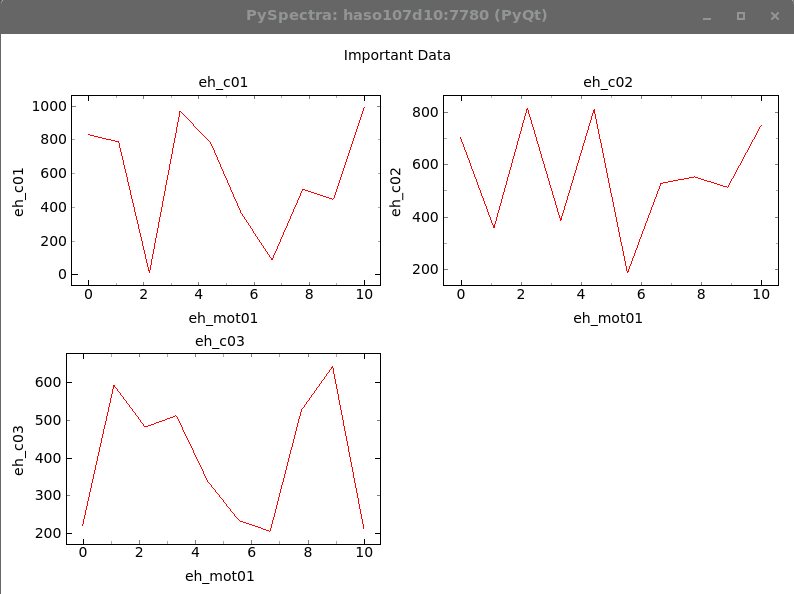
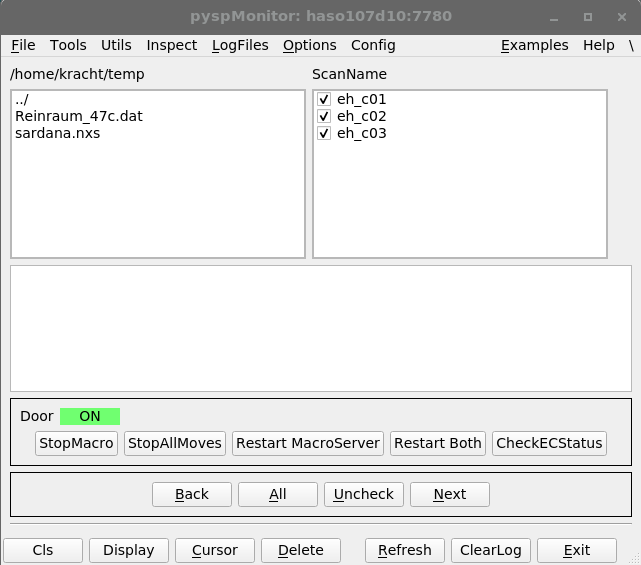
In the folllowing example data is sent to an extra pyspMonitor. It is distinguished from the standard pyspMonitor by selecting a non-standard ZMQ port number, see 7.2.4 and 7.2.4.
#!/usr/bin/env python3
#
# the script sends 4 columns to the pyspMonitor, displays them
# and reads them back. The first column contains the motor position,
# the common x-axis, the other contain counter readings
#
# In this example a specific ZMQ port is used to not interfere
# with the standard pyspMonitor
#

import PySpectra, HasyUtils
import sys, time
import numpy as np

PORT = 7780

def main():
    #
    # make sure that the pyspMonitor is running
    # it could have been launched by:
    #   pyspMonitor3.py -p 7780
    # Otherwise the following line will create it.
    #
    (status, wasLaunched) = PySpectra.assertPyspMonitorRunning( zmqPort = PORT)

    MAX = 10
    pos = np.linspace(0, 10, MAX)
    d1 = np.random.random_sample( (len( pos), ))*1000.
    d2 = np.random.random_sample( (len( pos), ))*1000.
    d3 = np.random.random_sample( (len( pos), ))*1000.

    hsh = { 'putData': { 'title': "Important Data",
                         'columns':
                         [ { 'name': "eh_mot01", 'data' : pos},
                           { 'name': "eh_c01", 'data' : d1},
                           { 'name': "eh_c02", 'data' : d2},
                           { 'name': "eh_c03", 'data' : d3},
                       ]}}
    hshRet = PySpectra.toPyspMonitor( hsh, zmqPort = PORT)
    print( "ret %s " % repr( hshRet))
    if hshRet[ 'result'].upper() != 'DONE':
        print( "toPyspMonitor: returns %s" % hshRet[ 'result'])
        sys.exit(255)

    hshRet = PySpectra.toPyspMonitor( { 'command': [ 'display']}, zmqPort = PORT)
    if hshRet[ 'result'].upper() != 'DONE':
        print( "toPyspMonitor: returns %s" % hshRet[ 'result'])
        sys.exit(255)

    print( "Press <space> to continue")
    while 1:
        key = HasyUtils.inkey()
        if key == 32:
            break
        time.sleep( 0.1)
    #
    # get the data back
    #
    hsh = PySpectra.toPyspMonitor( { 'getData': True}, zmqPort = PORT)

    print( "getData received: %s" % repr( hsh))
    #
    # if the pyspMonitor was launched by this script, send an 'exit' to kill it
    #
    if wasLaunched:
        hshRet = PySpectra.toPyspMonitor( { 'command': [ 'exit']}, zmqPort = PORT)

    return

if __name__ == "__main__":
    main()