Next: Simulate a scan, overlaid Up: Graphics done by pyspMonitor, Previous: Plot data from a Contents Index
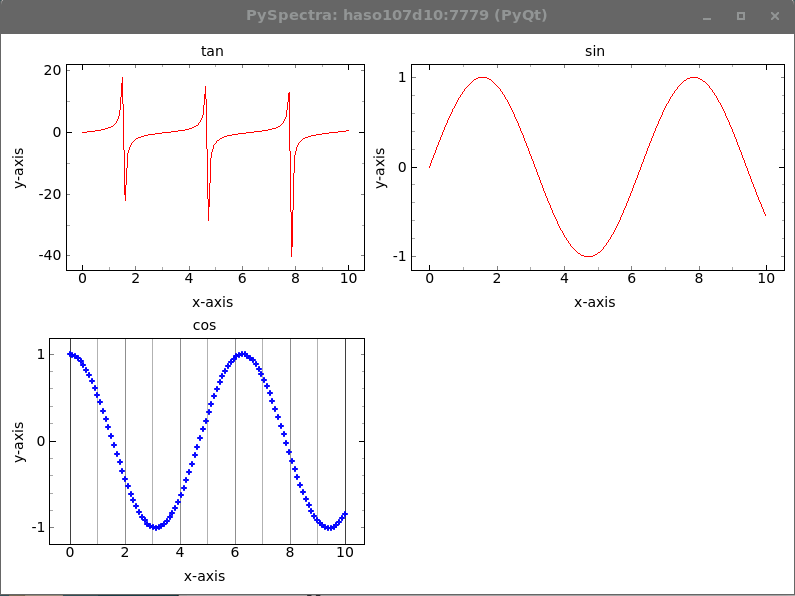
The following piece of code sends some data to the pyspMonitor, specifying some graphical attributes, see 7.2.6 and 7.2.6.
#!/usr/bin/env python3
#
# the script sends 3 data structures, each with x- and y-column
# to the pyspMonitor and displays them.
#
import PySpectra, HasyUtils
import numpy as np
import time

def main():

    (status, wasLaunched) = PySpectra.assertPyspMonitorRunning()

    PySpectra.toPyspMonitor( { 'command': ['delete', 'cls']})

    MAX = 100
    x = np.linspace(0, 10, MAX)
    tan = np.tan( x)
    sin = np.sin( x)
    cos = np.cos( x)

    hsh = { 'putData':
            {'gqes':
             [ {'x': x, 'y': tan, 'name': 'tan'},
               {'x': x, 'y': sin, 'name': 'sin'},
               {'x': x, 'y': cos, 'name': 'cos',
                'showGridY': False, 'symbolColor': 'blue', 'showGridX': True,
                'yLog': False, 'symbol': '+',
                'xLog': False, 'symbolSize': 5}]}}

    PySpectra.toPyspMonitor( hsh)
    PySpectra.toPyspMonitor( { 'command': 'display'})

    print( "Press <space> to continue")
    while 1:
        key = HasyUtils.inkey()
        if key == 32:
            break
        time.sleep( 0.1)
    #
    # if the pyspMonitor was launched by this script, kill it.
    #
    if wasLaunched:
        hshRet = PySpectra.toPyspMonitor( { 'command': [ 'exit']})

    return

if __name__ == "__main__":
    main()